New Feature in Navigate to Help Students Access Assistance
During the Spring 2025 semester, the college is launching a new feature in Navigate. Navigate is the free online tool and app that students can use to build schedules that work for them, register for classes, track progress, and set up appointments. The newest feature added to Navigate, called Hand Raise, is designed to make it easier for students to get the assistance they need, when they need it.
How it Works
Starting this semester, students will be able to select the Hand Raise option to alert our staff for help in the following areas:
- Technical Support: Having trouble with technology? Let us know, and we’ll guide you through it.
- Tutoring Help (ARC): Need support with your coursework? Our Academic Resource Center (ARC) is here for you.
- Nursing Program Information: Got questions about the Nursing program? We’ve got the answers.
Once you submit a Hand Raise, a staff member from the relevant area will reach out to assist you within 48 business hours.
Why use Hand Raise?
This feature is your direct connection to the resources you need to succeed. Whether it’s academic support, tech troubleshooting, or program-specific questions, we’re here to help you thrive this semester.
How to get Started
To use the "Hand Raise" feature:
- Log in to Navigate. (To access Navigate, log into the myBrightpoint portal, and then select the Navigate icon.)
- Click on the Hand Raise option.
- Select the type of assistance you need and submit your request.
After you submit a Hand Raise, keep an eye on your student email for updates.
Related News
View All News-


What does it take to turn a love of music into something more? At Brightpoint Community College, students are discovering that studying music is about more than learning notes and performing on stage. It takes dedication, creativity and a willingness to grow. In this edition of Meet the Major, Dr. David Guthrie, professor of music and head of Brightpoint's music program, shares how his lifelong passion for music shaped his career, the moments that make teaching rewarding and how Brightpoint helps students build a foundation for their next steps in music.
-
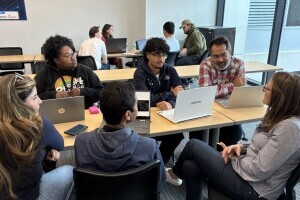

When artificial intelligence meets community focus, technology transforms from an abstract concept into a tool for real-world change. That's just what happened at the recent AI Hackathon for Good at Brightpoint's Midlothian Campus.
-
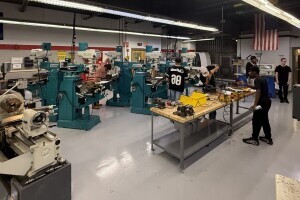

When Dustin Bell was 14, he watched his father, Les, work in a machine shop. Today, the father and son are teaching the trade together at Brightpoint, carrying machining into the next generation. And while the technology has evolved, the need for skilled machinists hasn’t. From the cars we drive and aircraft we fly to medical devices and everyday items, machining is behind more of our world than most of us realize. In this edition of Meet the Major, Dustin and Les share what keeps them excited about the field and why they believe it continues to offer students a challenging and rewarding path forward.
-